

Welcome, Guest! → Login / Register
Your Cart: 0 items

Display Subscriber Count with a Command

This is a simple command chat can use to see how many subscribers you currently have.

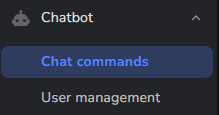
Navigate to your chat bot custom commands, click Add New Command.
Name the command “subs” and the Response type:

My community has ${channel.subs} subscribers.
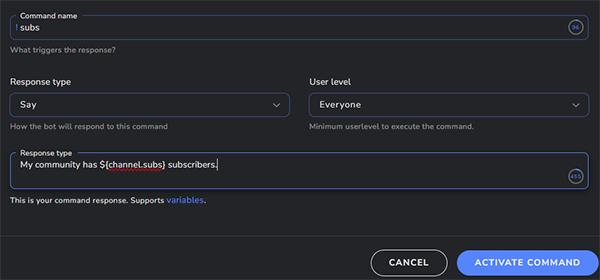
Customize this message, keeping the variable that will display the total number. Click Activate Command.

Any time someone in chat users “!subs” it will respond with your message and total subscriber count!

Lurk Command in StreamElements

I’m going to show you how to create a simple !lurk command for your chat to use!

Navigate to your custom commands:

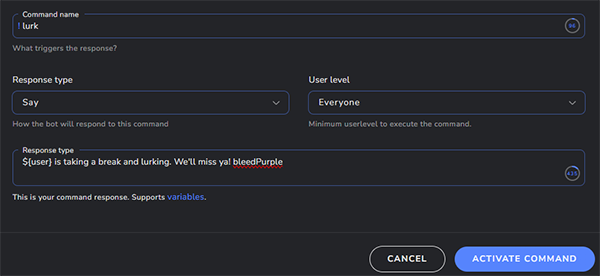
Name your command lurk, and the Response is as follows:

${user} is taking a break, and lurking. We'll miss ya! bleedPurple

Of course customize the message to what ever you may, keeping in mind the ${user} variable is the chatters name who used the command.

This is the output of the above command!

