
 Loading...
This is a simple command chat can use to see how many subscribers you currently have.
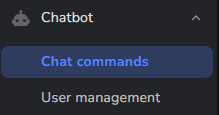
Navigate to your chat bot custom commands, click Add New Command.


Name the command “subs” and the Response type:
My community has ${channel.subs} subscribers.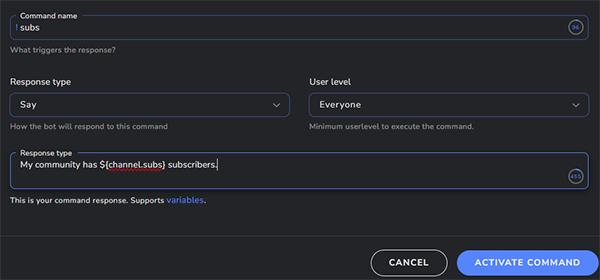
Customize this message, keeping the variable that will display the total number. Click Activate Command.
Any time someone in chat users “!subs” it will respond with your message and total subscriber count!
I think this is among the so much important info for me.
Comment by april — January 19, 2026 @ 6:13 pmAnd i am satisfied studying your article. However wanna remark on few common things, The
website style is ideal, the articles is truly great 😀 Good process, cheers